The shopping problem
Someone shopping for a saree might arrive with a clear preference, such as Mysore silk, or with a broader idea, such as a saree for a wedding. The storefront needs to accommodate both. A shopper with a product in mind needs search and recognisable category names. A shopper still comparing options needs collection imagery and a clear way to explore.
How the storefront is organised
Collections shoppers can recognise
The public catalogue links to Mysore silk, Kanchipuram silk and Kanchipuram silk mix collections. Within those groups, links such as bridal Kanchipuram and contrast-border Kanchipuram give shoppers a more specific place to start. These are visible examples of the catalogue structure.
Search and shopping controls on mobile
The mobile homepage puts category selection and search near the top. The header gives access to saved items, the account and the shopping bag. The featured saree image sits above the collection button, so a visitor can go from seeing a style to opening a collection.
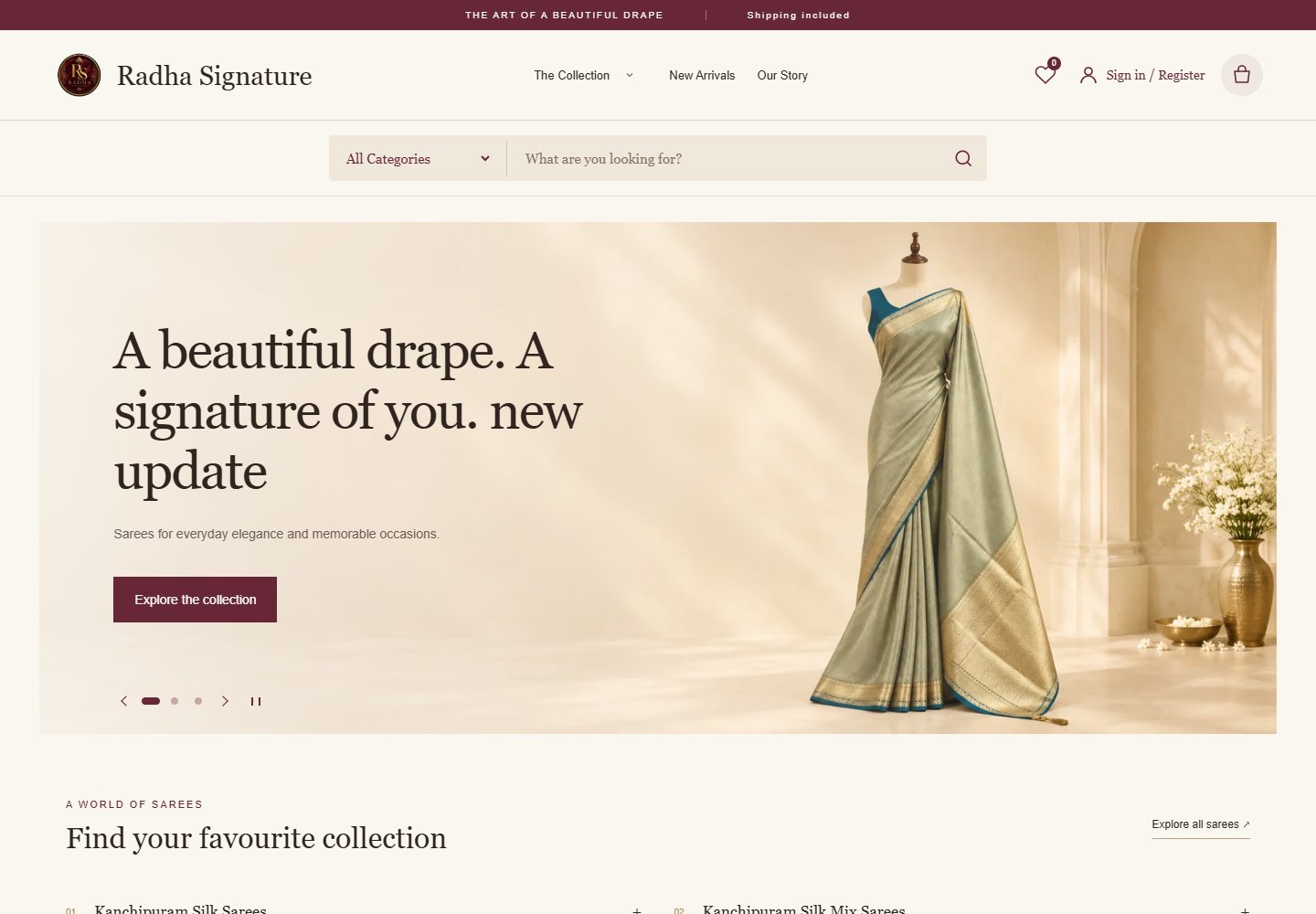
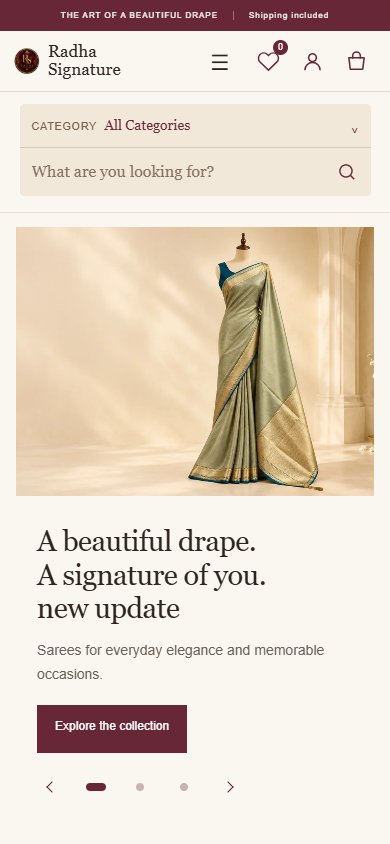
Walk through the storefront
- Open the homepage and browse by collection if you already know the type of saree you want.
- Use the search field when you have a particular term in mind, or follow the featured collection to explore.
- Use the header to reach the wishlist or shopping bag while browsing.
The screenshots document the public storefront and its visible controls. Explore Radha Signature or see the project in Weform’s portfolio.
Common questions about the project
What makes this a storefront?
It combines browsable saree collections with search, a wishlist and a shopping bag. Those features support the stages from discovering products to saving or gathering items.
What can another retailer apply to its own catalogue?
Start with the words customers already use to ask for products. Use those terms to name the first set of collections, then test whether people can find a specific item on a phone.
For a practical planning exercise, read our saree store website catalogue checklist.
Planning an online store?
Share your catalogue and how you want customers to order. Weform Solution works from Mysore and can discuss the pages and product details your store needs.
Explore ecommerce website design
Discuss your ecommerce website